Contents
Tick each lesson off as you finish it. Quizzes tick themselves once every question is answered. Your progress is kept on this device only.
New here? How to use this guide
Start here
Week 1: Thumb on the Button
- Lesson 1: Two Callsigns and a G'day Your First Contact
- Lesson 2: Six Settings, Not Ninety Taming Your Handheld
- Lesson 3: The Hill Does the Rest Repeaters and On-Air Manners
- Lesson 4: The Bit of Metal on the End Your First Antenna Upgrade
- Lesson 5: Minus Ten and a Pen Keeping a Logbook
- Lesson 6: Nobody's Marking It Handling Nerves on Air
- Week 1 Quiz
Week 2: Out Past the Repeater
- Lesson 7: Twenty Abbreviations and You're In Radio Lingo Decoded
- Lesson 8: Who Do You Want to Reach? Which Band Does What
- Lesson 9: The Keys to the 747 Getting on HF
- Lesson 10: Ask the Band, Not the Chart Why Bands Open and Close
- Lesson 11: Ten Minutes Down the Road Taking the Radio Outdoors
- Week 2 Quiz
Week 3: String It Up, Sort It Out
- Lesson 12: A Chair and a Clear Bit of Desk A Safe, Tidy Station
- Lesson 13: Up in the Air Beats in the Box Picking an HF Antenna
- Lesson 14: Put That Number in Its Place SWR Without the Stress
- Lesson 15: Your House Is Shouting Hunting Down Noise
- Lesson 16: Have You Checked Your Squelch? When It All Stops Working
- Week 3 Quiz
Week 4: Pick Your Patch
- Lesson 17: A Battery, a Wire and a Pile-Up Parks and Summits
- Lesson 18: About Eight Words Chasing Points and Paper
- Lesson 19: Triple Zero First When the Phones Go Down
- Lesson 20: A Dozen Hobbies, One Callsign Where to From Here
- Week 4 Quiz
Finish line
Printable sheets
Start here
G'day and Welcome
G'day mate, and welcome aboard! The name's Dirk, VK4DIRK, and I live and breathe radio at 10 Deebing Street, Ipswich, grid square QG62. If you've just got your licence, or you're about to, and you're staring at a radio wondering what on earth comes next, this is for you.
The assessment taught you the rules. This guide gets you on air. Four weeks, twenty short lessons, and something to do at the end of every one.
A Quick Honest Word
I'm a made-up character. VK4DIRK isn't a real callsign, and neither is the other station in my examples (VK4SHAZ). The radio facts are real, though. They were checked against the ACMA class licence and the WIA band plan in November 2026. Rules do change, so if a number really matters, check it at the source. This is a study guide, not legal advice.
How It Works
| Week | Theme | By the end you can |
|---|---|---|
| 1 | First contacts | Work a repeater, log a contact, beat the nerves |
| 2 | Beyond the repeater | Understand the lingo, make an HF contact, go portable |
| 3 | Stations and fault-finding | Set up safely, hang an antenna, fix what's broken |
| 4 | Your own direction | Pick a path you actually love |
Every lesson runs the same way. The Skeptic's Hurdle names what's scaring you. The Deebing Street Truth gives you the straight goods. The Actionable Blueprint lays out the steps. Your Challenge gets you doing it, and Dirk's Closing Pitch sends you off with three questions about your own setup. Each week finishes with a quiz, and there's a final challenge at the end. The printable sheets are on the contents page.
Watch for the blue "Check your licence" boxes and the red "Safety first" boxes. Read those even if you skip everything else.
Your First Job: Listen
You need a licence to transmit, or to be supervised by a qualified operator. Anyone can listen, so start there.
- Switch on your radio, or open a WebSDR online if you haven't got one yet.
- Find a repeater on the club repeater list, or tune around for a signal.
- Listen for five minutes and write down one callsign.
- Look it up on QRZ.com.
Pay attention to how people pause, how they say their callsigns, and how relaxed it all is. Then come on over to Lesson 1. You've got this, mate!
Week 1: Thumb on the Button
Lesson 1: Two Callsigns and a G'day
Your First Contact
The Skeptic's Hurdle
Righto mate, here's the moment nobody warns you about. You've passed the assessment, the callsign's yours, the radio's sitting there humming, and your thumb will not press that button. You reckon you'll say the wrong thing. You reckon the whole band will hear it and judge you.
Here's what actually happens: somebody answers, they're stoked to hear a new voice, and ninety seconds later you've done it. A QSO is just a radio contact. Two people, a few facts, a friendly goodbye.
The Deebing Street Truth
Every contact has three parts, and they never change:
- Open: find each other using callsigns.
- Swap: signal report, name, where you are.
- Close: say thanks, say 73 (it means best wishes), give your callsign.
Anything beyond that is just a chat. Talk about the weather, your antenna or the footy. You can't fail a QSO, because nobody's marking it.
There are two ways in. You can answer someone else's call, or you can put out your own. Answer first. When you answer, the other station has already done the hard yards: picked the frequency, checked it was clear, and told the world they're keen to talk. All you need is two callsigns, theirs then yours.
CQ is the general call that means "anyone out there want a yarn?" It's for simplex, where you're talking radio to radio. On a repeater you don't call CQ; Lesson 3 sorts that out.
The Actionable Blueprint
Swap in your own callsign wherever you see mine, and the other station's wherever you see Shaz.
On a handheld: set your radio to 146.500 MHz, the national 2 metre FM call channel, with offset and tone off. Hold the push-to-talk button to speak, and let go to listen. That channel can be quiet, so it helps to arrange a time with a mate.
Answering a call. You hear VK4SHAZ calling CQ. Wait until they stop, then keep it short:
"VK4SHAZ, VK4SHAZ, this is VK4DIRK. Victor Kilo Four Delta India Romeo Kilo."
Then stop and listen. That's it. Shaz comes back with a report, and you trade the same details. A report of five and seven means readability 5, strength 7. Lesson 7 has the scale.
"Thanks Shaz, you're five and seven here in Ipswich. The name's Dirk, Delta India Romeo Kilo. Back to you, VK4SHAZ from VK4DIRK."
Putting out your own call. Listen for a good minute first. Then press the button and say out loud, "Is this frequency in use? VK4DIRK." Silence? It's yours.
"CQ CQ CQ, VK4DIRK, VK4DIRK, on 2 metres, listening."
Now take your thumb off and count to fifteen. Nobody there? Go again a couple of times, then shift frequency or take a break. Getting no answer isn't a verdict on you. It might just be a quiet band.
Closing it out. This is the bit that trips people up, because a chat with no ending just dribbles away. So finish on purpose:
"Beauty, Shaz, I'll let you go. Thanks for the contact, 73, VK4SHAZ from VK4DIRK, clear."
One etiquette trap: if someone calls "CQ DX" they're chasing long-distance stations, usually overseas. If you're just up the road from them, sit that one out.
Your Challenge
- Write your own script on paper using the steps above. Reading it out on your first go is completely fine.
- Say it out loud three times with the radio off. Sounds daft, works a treat.
- Find a club net (a regular on-air meet-up where a controller gives everyone a turn) or a calling station, and make one real contact this week. One is all we're after.
Dirk's Closing Pitch
The first one's the hardest one you'll ever make, mate, and after that it's downhill with the wind behind you. Go on, get it done, and write that first callsign down, because you'll want to remember it!
Three for you to answer before Lesson 2:
- What radio have you got, and which bands does it cover?
- What licence level are you, and what does that let you use?
- Where's your script going to live, so it's in reach when you press that button?
Week 1: Thumb on the Button
Lesson 2: Six Settings, Not Ninety
Taming Your Handheld
The Skeptic's Hurdle
You open the box, you press a button, and suddenly the screen's flashing symbols that look like a fighter jet's dashboard. The manual reads like it was translated three times. So the radio goes back in the drawer. Don't do it, mate! You need maybe six settings to get on air. The other ninety can wait for a rainy Sunday.
The Deebing Street Truth
A handheld is the same animal whatever badge is on it. There's a push-to-talk button, a volume knob, an antenna that unscrews, a keypad and a screen. The one idea that clears up most of the confusion is this: your radio has two personalities.
- VFO mode: you dial in any frequency by hand. Think of a car radio with a tuning knob.
- Memory mode (MR on many radios): you pick from channels you saved earlier. Think of the preset buttons.
Half the "my radio's broken" phone calls we get at the shed are somebody stuck in the wrong one of those. Learn which is which on your own radio before anything else.
| Setting | What it really does | Start here |
|---|---|---|
| Squelch | Mutes the hiss when nobody's talking | Turn up just until the hiss stops, no further |
| Power | How hard you push the signal out | Low first, high only if you need it |
| Offset | Makes you transmit somewhere different from where you listen, for repeaters | Off for simplex, set per repeater |
| Tone (CTCSS) | An inaudible key that opens a repeater | Off for simplex, set per repeater |
| VOX | Transmits whenever the radio hears a noise | Off. Always off. |
| Mode | How your voice rides on the signal | FM on a handheld |
The Actionable Blueprint
- Charge the battery fully. Many handhelds give you next to no warning before they die.
- Find the VFO and memory switch and flip between them until you can always tell which you're in.
- Set squelch and turn VOX off.
- Enter the national FM simplex call channels, 146.500 MHz and 439.000 MHz. Save them to memory.
- Open the club repeater list and save your nearest repeater. You'll need its output frequency, its input frequency and its tone.
Keypad got you beat? Use CHIRP, free software that programs most handhelds from a computer. You need the right USB cable, and the cheap ones can be fussy about drivers. Read your radio's current config first and save a copy before you change anything. That backup has saved plenty of weekends.
Digital voice like DMR, D-STAR and C4FM is a whole world of its own. Park it for now. Plain FM gets you talking today.
Your Challenge
- Save three memories: both call channels and one repeater.
- Switch between VFO and memory with your eyes shut, then check the screen. Do it until you get it right every time.
- Find one local repeater and listen to it for ten minutes without transmitting.
Dirk's Closing Pitch
You've just tamed the thing that sends most people back to the drawer. Next lesson we put it to work!
- Which button on your radio swaps VFO and memory?
- Can you set the offset and tone without looking it up?
- How many hours does your battery really last with the radio on and listening?
Week 1: Thumb on the Button
Lesson 3: The Hill Does the Rest
Repeaters and On-Air Manners
The Skeptic's Hurdle
A repeater feels like walking into the local pub where everyone's known each other for thirty years. You're sure you'll barge in at the wrong moment. Good news, mate: most repeater regulars were sitting there hoping someone new would turn up. Half the time the real problem is the opposite. It's dead quiet.
The Deebing Street Truth
A repeater is a radio on a hilltop doing one simple job. It hears you on one frequency and instantly re-sends you on another, with the height and the power of its site behind you. Your little handheld only has to reach the hill, and the hill does the rest.
Three bits of jargon cover how you get in:
- Output: where the repeater talks and you listen.
- Input: where the repeater listens and you talk.
- Offset: the gap between the two. Your radio shifts by that gap when you press the push-to-talk button.
- Tone: a sound too low to hear that says "this one's meant for you". Without it, many repeaters ignore you completely.
Yes, that's four. Tone's the one everyone forgets. If you can hear a repeater perfectly but it won't answer you, check the tone first.
| Band | Usual offset |
|---|---|
| 2 metres | 600 kHz (a few use 1.6 MHz) |
| 70 centimetres | 5 MHz (some local ones use 7 MHz) |
The offset can go up or down, and listings show you which. If the input is lower than the output, set a minus offset. If it's higher, set a plus. Set the tone to the number in the listing, for transmit. Every handheld hides these menus somewhere different, so look up "offset" and "tone" in your manual, or let CHIRP from Lesson 2 do it for you.
The Actionable Blueprint
Listen first. Sit on the output for a bit. After someone finishes you'll hear the repeater hang on for a moment, often with a beep. That's called the tail. Wait for a gap before you talk.
Then announce yourself. No CQ needed, just your callsign and a word that says you're around:
"VK4DIRK listening."
Someone will come back or they won't. Try again later, particularly around a net.
Joining a chat. Wait for the gap between speakers and drop in your callsign once:
"VK4DIRK."
The next person will usually invite you in. Don't launch into your story until they do.
Check in to a net. Wait for the controller to ask for check-ins, then give your callsign once and let go. When they call you back, say your name, where you are and that you're new. They'll take it from there.
While you're on:
- Let a couple of seconds go before you answer, so someone with an urgent call can get in.
- Keep each turn short. Lots of repeaters cut off if you talk too long, and the directory below lists each timeout in minutes.
- Reports are different here. "5 and 9" doesn't mean much. Say how clean they sound into the repeater, like "you're full quieting" (no hiss at all) or "a bit scratchy but readable".
Three habits to bin:
- Kerchunking: pressing the button to hear the repeater tail, without saying anything. It's rude, and it's a transmission with no callsign. Say "VK4DIRK testing" instead.
- Doubling: two people talking at once. It happens. Stop, wait, try again.
- Talking over a net: if there's a net running, follow what the controller asks.
Away from home? The WIA repeater directory covers the whole country. It's updated a couple of times a year, so grab the latest copy before a trip. Site names and status can differ from a club's own list, and a repeater marked as new might not be on air yet.
Mic trick: hold it a hand's width from your mouth, a bit to the side, and talk normally. Shouting makes you harder to understand, not easier.
Your Challenge
- Pick a repeater from the club list and check your offset direction and tone against it.
- Find a time on the club nets page and listen to a full net.
- Make one call of your own, with your callsign and "listening". If someone answers, you've got a repeater contact in the bag.
Dirk's Closing Pitch
That hilltop's working for you now, mate. Get in there and use it. A quiet repeater is just a room waiting for someone to say g'day!
- Which repeater reaches you best from home?
- Is it better from one room, or one side of the house?
- Does anything change when you go from low to high power?
Week 1: Thumb on the Button
Lesson 4: The Bit of Metal on the End
Your First Antenna Upgrade
The Skeptic's Hurdle
Everyone thinks antennas are black magic that takes a maths degree and a tower. Then they spend hundreds on a better radio and sound exactly the same. Here's the thing, mate: the bit of metal on the end does more for you than the box it's bolted to. And the first upgrade can cost less than a good pub feed.
The Deebing Street Truth
An antenna works both ways. A better one lifts your signal out and pulls weak stations in. Spend money on a radio and you only get new buttons. Spend it on the antenna and the whole station improves.
| Antenna | Good at | Cost you |
|---|---|---|
| Rubber duck (the stubby one from the box) | Fitting in a pocket | Weakest option you've got |
| Longer whip | Cheap instant gain on a handheld | Bit more awkward |
| Mag-mount on a car or steel surface | Getting the antenna outside, away from your body and the walls | Needs an adapter and coax |
| Wire dipole | Serious results for almost no money | Needs somewhere to hang it |
Why a dipole's so good: it's two equal lengths of wire with the coax connected in the middle. No tricks. For total length in metres, use 143 divided by your frequency in MHz. At 146 MHz that's 0.98 metres in total, so about 49 centimetres a side. Cut it a bit long. You can always trim wire, but you can't un-cut it.
Three rules that beat any shiny brochure:
- Height: getting it up and clear nearly always helps.
- Clearance: keep it away from gutters, fences and metal frames. A mag-mount is the exception, because it needs metal under it to work.
- Match the other station: VHF and UHF FM antennas stand vertical. Tip your handheld sideways and a repeater hears you worse.
The Actionable Blueprint
- Cheapest step: buy a longer whip with the correct connector for your radio. SMA male and SMA female both exist, and you will buy the wrong one once.
- Next step: a mag-mount on the car, or on a steel surface like a filing cabinet near a window.
- Home step: make the 2 metre dipole above. Hang it vertically from a window frame or a tree branch, using string at the top end.
- Test it properly: pick a repeater that's weak for you. Compare antennas by swapping them, in the same spot, and asking someone for an honest report. Your signal meter on receive is a rough guide too.
Buy or build? Either's right. Buying gets you on air tonight. Building teaches you why it works. Most of us end up doing both.
Your Challenge
- Do one upgrade this week, however small.
- Make a before-and-after test on the same repeater from the same spot.
- Write down what changed. Numbers beat feelings.
Dirk's Closing Pitch
There's no better feeling than a bit of wire you hung yourself getting you into a repeater you couldn't reach yesterday. Go and string something up, mate!
- Where's the highest clear spot you could reach safely at home?
- Are there any overhead lines near it?
- What connector does your radio actually have?
Week 1: Thumb on the Button
Lesson 5: Minus Ten and a Pen
Keeping a Logbook
The Skeptic's Hurdle
"Do I have to write down every word?" Nah, mate. Logging sounds like paperwork, and paperwork is what you do at work. But it's really a diary of your radio life. In five years you'll flip back to your first page and grin like a kid.
The Deebing Street Truth
The class licence doesn't make you keep a logbook. So a quick local chat needs no entry unless you want one. You'll want a log for the fun stuff: awards, contests, park and summit activations, and proving a contact happened when someone else wants to confirm it.
A log entry needs six things:
- Date and time in UTC. Radio's worldwide clock. Queensland is 10 hours ahead of UTC all year, so take ten off. Watch the date flip: 8am Tuesday here is 10pm Monday UTC.
- Their callsign.
- Band or frequency.
- Mode: FM, SSB, FT8 and so on.
- Report sent.
- Report received.
Extras worth having: their name, where they were, and a note to your future self such as "first contact on my homebrew dipole".
Paper or software? Paper never runs out of battery and works on a picnic table. Software searches, counts and uploads for you. Don't overthink it. The log you'll actually fill in beats the clever one you won't.
| Tool | Good for |
|---|---|
| Notebook | Starting out, portable work |
| QRZ Logbook | Free, in your browser, also a callsign lookup |
| HAMRS | Quick portable logging |
| Logbook of The World | Confirmations for bigger awards |
QSL cards are postcards that confirm a contact. You don't owe anyone one, but opening a card from a far-off station that you worked from your own back yard is a proper thrill. These days most confirmations are electronic, and the paper ones are a bit of a treat.
The Actionable Blueprint
- Print the Minus Ten Log or rule up a notebook.
- Put a clock showing UTC near your radio, or a note saying "minus 10".
- Go back and write in your first contact from Lesson 1, even if you've got to estimate the time.
- Set up a free QRZ account and put your details in, so people who look you up can find you.
- Log while you talk. Trying to remember later is how callsigns go wrong.
Your Challenge
- Log two contacts this week in full, UTC and all.
- Try one electronic confirmation, just to see how it goes.
Dirk's Closing Pitch
You're not filling out a form, mate, you're writing the first chapter of your radio story. Make it a good one!
- Paper or software: which will you really keep up?
- What's the UTC time right now?
- What contact do you want on page one of your log?
Week 1: Thumb on the Button
Lesson 6: Nobody's Marking It
Handling Nerves on Air
The Skeptic's Hurdle
Mic fright is real, mate. Your mouth goes dry, your callsign falls out of your head, and you say your own name wrong. Every operator you've ever heard sounding smooth has done exactly that. The fear only leaves one way, and it's not by reading more about it.
The Deebing Street Truth
You can't think your way to confidence. You get it the same way you learned to reverse a trailer: badly at first, then a bit less badly. Waiting until you feel ready is a trap, because feeling ready comes after, not before.
And here's what the nerves leave out. The person on the other end isn't marking you. They've got a slightly noisy signal and a cup of tea. If you stumble, they'll hardly notice. Most will reckon you're doing fine and be glad of the contact.
Good delivery is a small bag of tricks:
- Hold the mic a hand's width away, slightly off to the side.
- Press the button, wait a beat, then speak. Otherwise your first word gets chopped.
- Talk at normal volume, a touch slower than usual.
- Finish your sentence, then let go.
Phonetics are your safety net. If someone doesn't catch your callsign, spell it using the standard alphabet. Lesson 7 has the lot, but learn your own letters now. Mine go:
"Victor Kilo Four, Delta India Romeo Kilo."
Stick to the standard words. Cute home-made ones fall apart on a noisy band.
When it goes wrong, here's what to say:
| What happened | What to say |
|---|---|
| Didn't catch the callsign | "Sorry, could you say your callsign again, please?" |
| Forgot what you were saying | "Sorry, new operator here, bear with me." |
| Talked over someone | "Sorry about that, go ahead." |
| Wrong frequency, wrong setting | Stop, fix it, carry on. Happens to everyone. |
"New operator" is a magic phrase, by the way. People slow down and go out of their way to help you.
The Actionable Blueprint
- Record yourself on your phone giving your callsign in phonetics. Listen once. Everyone hates their own voice, so don't let that stop you.
- Ring a mate or a club member and arrange a set time on simplex. Practice with someone you know beats anything else.
- Check into a club net. A net's the easiest place to start, because a controller tells you when to talk and everyone gets a turn.
- Keep the Say This sheet beside the radio. Reading it isn't cheating.
Your Challenge
- Get on air at least once this week.
- Give your callsign in phonetics on that contact.
- Tell someone you're a new operator. See what happens.
Dirk's Closing Pitch
Week One done, mate! You've got a radio you understand, a repeater you can use, an antenna you've improved and a log with your name in it. That's more than plenty of people manage in their first year. Now take the Week 1 Quiz and get on with it!
- What scares you most about getting on air, exactly?
- Who could you ask to do a practice contact?
- Which net fits your week?
Week 1: Thumb on the Button
Week 1 Quiz
Week One, mate. Pick A, B, C or D for each one, and say why before you check.
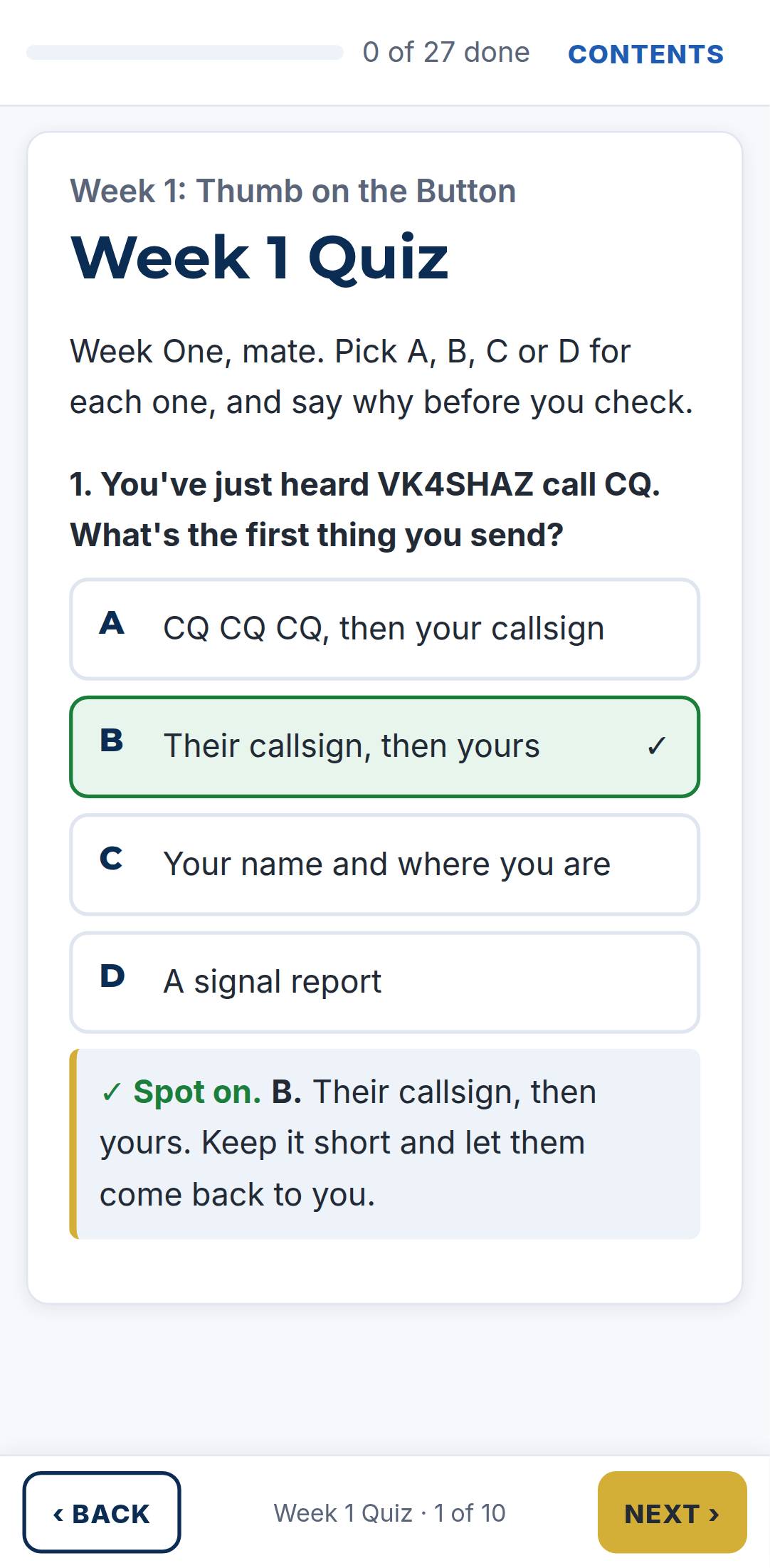
1. You've just heard VK4SHAZ call CQ. What's the first thing you send?
- CQ CQ CQ, then your callsign
- Their callsign, then yours
- Your name and where you are
- A signal report
2. A repeater sounds beautiful on your radio but won't answer you. What do you check first?
- The squelch
- The battery
- The VOX setting
- The tone
3. What does the offset do?
- Makes you transmit on the repeater's input while you listen on its output
- Sets how loud the repeater sounds
- Moves your signal to a stronger band
- Mutes the hiss between overs
4. When does the class licence want your callsign?
- Only at the very end of a contact
- Every 10 minutes and at no other time
- At the start and end of each transmission, and at least every 10 minutes on a long one
- Only when another station asks for it
5. You want to see if a repeater's working. What's the right way?
- Press the button and listen for the tail
- Give your callsign and say you're testing
- Call CQ three times
- Key up twice, quickly
6. Does the class licence make you log every contact?
- Yes, every single one
- Only the ones on HF
- Only if you hold a Foundation licence
- No, it doesn't ask for a logbook
7. It's 7am in Ipswich. What's the time in UTC?
- 9pm the previous day
- 5pm the same day
- 5pm the previous day
- 7am the same day
8. Which upgrade usually helps a handheld most for the money?
- A newer radio
- A bigger battery
- A longer whip, or an antenna outside on a mag-mount
- A higher squelch setting
9. What do you check first before you lift any wire or pole?
- Your SWR
- Which way the wind's blowing
- The length of the wire
- Overhead powerlines, including where it could fall
10. What's the fastest cure for nerves on air?
- Reading another book first
- Making one short contact
- Waiting until you feel ready
- Buying a better microphone
Week 2: Out Past the Repeater
Lesson 7: Twenty Abbreviations and You're In
Radio Lingo Decoded
The Skeptic's Hurdle
You tune around and hear "QSL on the QSY, QRM's terrible, 73 OM." Sounds like a secret society, doesn't it? It isn't, mate. It's about twenty abbreviations, most left over from Morse days when every letter cost effort. Learn this page and you'll follow nearly everything you hear.
The Deebing Street Truth
You don't have to talk like this. Plain English is perfectly good on voice, and it's often better. You just need to understand it when other people do.
| You'll hear | It means |
|---|---|
| CQ | Calling anyone |
| QSO | A contact |
| QTH | Location: "my QTH is Ipswich" |
| QSL | Confirmed, got that. Also a confirmation card |
| QSY | Changing frequency |
| QRZ? | Who's calling me? |
| QRM | Interference from other stations |
| QRN | Static and natural noise |
| QRP | Low power |
| DX | Long-distance contact or station |
| Rig | Your radio |
| Shack | Wherever your radio lives |
| Ragchew | A long, happy yarn |
| Sked | A pre-arranged contact |
| Net | A regular on-air meet-up |
| 73 | Best wishes |
There's more on the What They Just Said sheet.
Signal reports are just two numbers. The first is how easily I can understand you, from 1 to 5. The second is how strong you are on the S-meter, from 1 to 9. So "5 and 9" means perfect and strong, and "4 and 3" means I can mostly follow you but you're weak. Morse adds a third number for tone.
Give honest reports. A "5 and 9" handed to everyone tells nobody anything, and a real report helps the other station fix a problem. And remember the repeater exception from Lesson 3: there you're hearing the repeater, not the person.
The phonetic alphabet exists because B, D, E, P, T and V all sound alike down a noisy channel.
| A Alpha | B Bravo | C Charlie | D Delta |
| E Echo | F Foxtrot | G Golf | H Hotel |
| I India | J Juliett | K Kilo | L Lima |
| M Mike | N November | O Oscar | P Papa |
| Q Quebec | R Romeo | S Sierra | T Tango |
| U Uniform | V Victor | W Whiskey | X X-ray |
| Y Yankee | Z Zulu |
The Actionable Blueprint
- Spell your callsign, your name and your suburb in phonetics out loud, until it comes without thinking.
- Reach for phonetics when signals are weak or noisy, when someone asks you to repeat, and on a first call to a station who doesn't know you.
- On a clean local repeater, skip the alphabet unless asked. Nobody needs it twice in a chat with your mate.
- Avoid "Q-speak" on voice while you're learning. "I'm in Ipswich" beats a badly used QTH.
Your Challenge
- Listen to a net or a band for fifteen minutes and tick off every term from the table you hear.
- Spell a shopping list in phonetics for anyone who'll listen. Extra points if they get annoyed.
- Give one honest signal report on your next contact.
Dirk's Closing Pitch
Yesterday it was gibberish, and today you're in on the joke. That's a fantastic feeling, mate!
- What's your callsign in phonetics, with no peeking?
- Which letters in your name get misheard?
- Which term still doesn't stick? Write it on the cheat sheet.
Week 2: Out Past the Repeater
Lesson 8: Who Do You Want to Reach?
Which Band Does What
The Skeptic's Hurdle
People talk about HF like it's the grown-ups' table. You've got a handheld, and you've heard HF needs a big radio and a paddock of wire. Fair go, mate, it doesn't. Anyway, you can start exploring HF tonight with nothing but a web browser and not a cent spent. First let's work out what these letters mean.
The Deebing Street Truth
The frequency decides how your signal behaves, so it decides who you can reach.
| Range | Frequencies | Personality |
|---|---|---|
| HF | 3–30 MHz | Bounces off the upper atmosphere and goes interstate or overseas. Noisy, moody, thrilling. |
| VHF | 30–300 MHz | Mostly travels in a straight line. Your local and regional mate. Clean and steady. |
| UHF | 300–3000 MHz | Also straight-line, shorter reach, better around city buildings. Home of lots of digital voice. |
They even sound different. VHF FM is clear and quiet, and silent when nobody's on. HF is a wash of hiss and crackle, with voices fading in and out, and SSB voices can sound a bit like a duck until you tune them in just so. Morse beeps and digital warbles sit between them. None of that means something's broken. That's the band talking.
| Who you want to reach | What gets you there |
|---|---|
| Same suburb or the next one | 2m or 70cm, on simplex |
| Same district | A repeater on a hill |
| Same state or next door | HF, on the low bands |
| The other side of the planet | HF, on the higher bands, on a good day |
The Actionable Blueprint
You don't need a licence or a radio to sit in on HF. A WebSDR is a receiver someone has shared on the internet, and you drive it from your browser.
- Look up a club HF net on the nets page and put the time in your phone.
- Open websdr.org or the list at kiwisdr.com/public and choose a receiver somewhere in south-east Queensland or nearby.
- Set the sideband for that net: LSB, because the club's HF nets sit below 10 MHz.
- Nudge the tuning until the voices sound natural. Follow who's calling in, and notice how they take turns.
- Now open PSK Reporter, filter to grid QG62, and see which bands are carrying digital signals around Ipswich at that moment.
Your Challenge
- Sit in on one whole club HF net, start to finish.
- Sketch a map with the furthest station you heard marked on it.
- Pick the band you'd try first when you go on air, and say why.
Dirk's Closing Pitch
Hear that first voice from the other side of the country come out of the hiss and you'll be hooked, mate. Be warned!
- Which HF bands does your licence open up?
- Where did the furthest station you heard come from?
- Do you have space for a wire, or will you need another plan?
Week 2: Out Past the Repeater
Lesson 9: The Keys to the 747
Getting on HF
The Skeptic's Hurdle
An HF rig has twenty knobs, and every one looks like it could wreck something. Your first time in front of one feels like being handed the keys to a 747. Here's a relief, mate: you'll use about six controls on your first contact, and you can't hurt the band by turning a receive knob. Everything else is for later.
The Deebing Street Truth
Three connections get you going: power, antenna, microphone. And here are the controls that do the real work:
| Control | What it's for |
|---|---|
| AF gain | Volume. Just your ears. |
| Band | Jumps between bands. Check everything else after you press it. |
| Mode | LSB below 10 MHz, USB above. Get this wrong and voices turn to mush. |
| Tuning dial (VFO) | Go slowly. SSB voices sharpen up over a very small movement. |
| Power | Your output. Keep it inside your licence. |
| Mic gain | How hard your voice drives the radio. Start in the middle. |
Those six get you on. The other useful ones, like RF gain, RIT, filters, noise blanker, noise reduction and the waterfall, are explained on the What's This Knob Do? sheet. Turn them on one at a time and listen to what changes. That's how you learn them.
The tuner myth. The tuner button doesn't fix your antenna. It adjusts what the radio sees so the radio stays happy. A tuner on a bad antenna is icing on a burnt cake. Lesson 14 has the whole story.
The Actionable Blueprint
- Set up with the power at its lowest. Antenna connected, mic plugged in, mode on LSB, band on 40m.
- Tune for voices. Find someone clear, and tune until they sound human.
- Check your audio. Mic gain middling. Speak in your normal voice, and if your radio has an ALC meter, keep it within the marked range. Too much mic gain makes you sound rough and splatters next door.
- Find a clear spot if you're calling. Listen for a full minute. Then ask if the frequency's in use, with your callsign. Remember the other station might only be audible to someone else.
- Tune the antenna if you need to. Do it on a clear frequency, at low power, briefly.
- Bring up the power to what your licence allows, and only as much as you need.
- Answer a CQ first. Their callsign, yours, in phonetics. Same as Lesson 1.
"VK4SHAZ, this is VK4DIRK, Victor Kilo Four Delta India Romeo Kilo."
Signals fade on HF, so talk a little slower than you would on a repeater, and say your callsign clearly. Don't be surprised if someone asks you to repeat. It's a normal part of HF.
No radio yet? Come along to a club day and ask to sit in at a station. A licensed operator can walk you through it. Trying before buying is the smartest money you'll ever save.
Your Challenge
- Make one HF contact on any band your licence allows, and log it.
- If you can't yet, listen on a WebSDR and write out what you'd have said to a station calling CQ.
- Check into a club HF net from the nets page if your gear's ready.
Dirk's Closing Pitch
Your voice just rode the sky to somebody hundreds of kilometres away, on a bit of wire and a car battery's worth of power. How good is that, mate!
- What did the other station report for your signal?
- Which control still has you puzzled?
- What time of day was the band at its best for you?
Week 2: Out Past the Repeater
Lesson 10: Ask the Band, Not the Chart
Why Bands Open and Close
The Skeptic's Hurdle
Propagation charts are full of solar flux and A-indexes, and you start to think you need a physics degree to know when to switch on. You don't, mate. You need to know two or three habits, and the best tool ever invented for checking the band: your own ears.
The Deebing Street Truth
Propagation just means how a signal gets from here to there.
VHF and UHF mostly take the direct route, so hills and height decide everything. HF does something far stranger. High above us the sun charges up layers of thin air, and that ionosphere bends HF signals back down to earth hundreds or thousands of kilometres away. Sometimes they come back up off the ground and go round again. Each trip is called a hop.
The trouble is the ionosphere never sits still. It changes with the hour, the season and the sun, and that's why a band can be roaring at lunchtime and dead by dinner.
| Band | When it tends to work | What it tends to reach |
|---|---|---|
| 80m | Evenings and nights. Daytime soaks it up. | Your state and next door |
| 40m | Most times, shifting with the hour | Interstate, overseas at night |
| 20m | Daylight, fading after dark | Long distance |
| 15m and 10m | Daylight, when the sun's active | Long distance, sometimes on tiny power |
NVIS: the local trick. Put a low wire up on 80m or 40m and it throws much of its signal nearly straight up. It comes down like rain across the surrounding few hundred kilometres. That fills the gap between what a repeater reaches and where normal HF lands, which is why emergency communicators love it. You say it "en-viss".
Loud to you, deaf to you. You hear them fine and they never answer. Happens to everybody, and it's rarely your fault. They might have a big antenna aimed your way, or 400 W behind them. Their end might be noisy. Or the path just isn't working the same both ways. Try again later, try another band, or use a digital mode that cuts through.
The Actionable Blueprint
- Listen first. If you can hear people, the band's open to where they are.
- Pick by the clock. Morning and afternoon, high bands. Evening, low bands.
- Call anyway. A dead-sounding band is often full of people listening and nobody calling.
- Use real data. PSK Reporter shows who's actually being heard. Filter to grid QG62 to see around Ipswich, or put in your own callsign once you're running a digital mode.
- Write it down. Band, time, who you heard. A month of your own notes teaches you more about your location than any chart.
Your Challenge
- Listen to 40m and one higher band at three times in one day: morning, afternoon and night. A WebSDR's fine.
- Write down how far away the stations are each time.
- Check PSK Reporter at the same time, and see if it agrees with you.
Dirk's Closing Pitch
The band's different every single day, mate. That's not the frustrating bit, that's the whole fun of it. You never know what you'll hear next!
- Which band suited your day best?
- What time do you actually have free to operate?
- Have you heard a station you couldn't reach yet?
Week 2: Out Past the Repeater
Lesson 11: Ten Minutes Down the Road
Taking the Radio Outdoors
The Skeptic's Hurdle
Your home sounds like a bee farm on HF, you've got no room for a wire, and the neighbours wouldn't cop one anyway. So you reckon HF isn't for you. Mate, the answer's about ten minutes down the road. Take the radio to the park. It's the best trick in the hobby.
The Deebing Street Truth
Modern houses are full of chargers, inverters and TVs, and all of them hiss on HF. Get a few hundred metres away from all that and the noise floor drops. Stations you couldn't hear at home suddenly pop out. You get more room for wire, too, and nobody asks what that thing in the tree is.
Two words to sort out:
- Portable: set up temporarily, somewhere that isn't home. Back yard, park, beach, campsite, lookout.
- Mobile: operating from a vehicle.
It's a nice courtesy to say so on air, like "VK4DIRK portable" or "VK4DIRK mobile". That tells people why your signal's moving around.
For VHF and UHF, height is everything. A lookout can get a handheld into repeaters you could never reach from home. For a simple mobile setup, a mag-mount on the roof beats any handheld inside the metal box of a car.
The Actionable Blueprint
Kit for a first outing:
- Your radio and a charged battery
- A wire antenna, plus a squid pole or a tree branch to hold it
- Coax, string, tent pegs
- Logbook and pen, water, hat, sunscreen
- Pick an easy spot. Close to home, near the car, with shade and open space.
- Set up at home first. Do a dry run in the back yard so nothing's missing at the park.
- Get the wire as high and clear as you can.
- Check your SWR with the wire up. Then listen for a good while, and enjoy the quiet.
- Call or answer. Tell people you're portable. Log it.
- Leave nothing behind. Not even a tent peg.
Parks on the Air and Summits on the Air turn this into a game, and we get to those in Lesson 17.
Your Challenge
- Spend at least 30 minutes on the radio somewhere that isn't home.
- Compare what you hear with your home station. Use the same band if you can.
- Make a contact from there and log it as portable.
Dirk's Closing Pitch
A thermos, a bit of wire, a shady tree and someone calling you from the far side of the country. There's no shack in the world that beats it, mate. Get out there!
- What's the closest park or lookout you could use?
- How long will your battery last, transmitting?
- What's the one item you know you'd forget?
Week 2: Out Past the Repeater
Week 2 Quiz
Week Two, mate. Same drill: pick one, say why, then check.
1. Someone says "QSY up five". What's going on?
- They're asking who's calling
- They're signing off
- They're moving frequency
- They're reporting interference
2. What does a report of 4 and 5 tell you?
- You're readable with a bit of effort, at moderate strength
- You're perfect and very strong
- You can't be understood at all
- You're 4 out of 5 stars
3. Why doesn't an S-meter report mean much on a repeater?
- FM signals have no strength
- Repeaters always read 5 and 9
- The class licence bans them
- You're hearing the repeater, not the person
4. Which is DIRK in the standard phonetic alphabet?
- Dog India Robert King
- Delta India Romeo Kilo
- David Ida Romeo Kate
- Delta Indigo Radio Kilo
5. Which HF bands can a Foundation operator use?
- 80m, 40m, 20m and 10m
- 40m and 20m only
- Every HF band
- 80m, 40m, 15m and 10m
6. What's the most power anyone can run on SSB under the class licence?
- 400 W PEP, on an Advanced licence
- 100 W PEP, on any licence
- 120 W mean, on a Standard licence
- There's no limit on HF
7. Which sideband do you use for voice on 40m, and on 15m?
- USB on both
- LSB on both
- LSB on 40m, USB on 15m
- USB on 40m, LSB on 15m
8. What does an antenna tuner really do?
- Makes the antenna electrically longer up in the air
- Makes the antenna system look right to the radio
- Adds power to your signal
- Repairs a poor antenna
9. You want to reach a town 200 kilometres away and VHF won't get there. What's your tool?
- NVIS on 80m or 40m
- 70cm simplex
- A stubby handheld antenna
- 2m on low power
10. You're setting up a squid pole at a park. What's your first job?
- Check your SWR
- Find a clear frequency
- Set your power
- Look up for powerlines
Week 3: String It Up, Sort It Out
Lesson 12: A Chair and a Clear Bit of Desk
A Safe, Tidy Station
The Skeptic's Hurdle
You've seen those shack photos: three screens, a wall of radios, enough blue LEDs to land a plane. Then you look at your kitchen table and feel like a fraud. Mate, a shack is simply wherever you operate. A corner of the spare room counts. So does a box you carry to the shed. What matters is that it's safe, tidy and easy to sit down at.
The Deebing Street Truth
If it takes twenty minutes to set up, you'll operate less. If everything's in reach, you'll get on the air on a Tuesday night just because you can.
Power's the part to respect. Most rigs want about 13.8 volts DC, from a bench supply or a battery. A radio on transmit can draw a lot of current, and thin leads get hot. We're talking electron flow here, not conventional current: electrons pour out of the negative side, through the radio and back to the positive. Whichever way you draw it, that flow heats any wire too skinny to carry it.
- Fuse the radio. Use the size in the radio's manual, and put a fuse in each output of a distribution board.
- Use leads thick enough for the radio's maximum draw.
- Battery? Fuse it close to the battery, and use a charger made for that chemistry.
The Actionable Blueprint
- Pick the spot. Near a window if you can, for a short coax run. Away from your router and TV if possible.
- Reach test. Sit down. Mic, dial, log and pen should all be within arm's reach.
- Tidy the cables. Keep DC, coax and audio apart where you can. Use Velcro ties, and label both ends of everything. Future you will be so grateful.
- Let it breathe. Radios and power supplies run hot. Don't box them in.
- Add the small wins. A UTC clock, a decent lamp, a chair that doesn't wreck your back, headphones, a hook for the mic.
- Make a shutdown habit. Off, unplug, antenna out if there's weather about.
A common connector like Anderson Powerpole makes swapping radios and batteries easy. It's worth doing once, then you never think about it again.
Your Challenge
- Make one improvement to your operating spot this week. Just one.
- Check that your radio's fused, and find out what size that fuse is.
- Write a one-line storm plan and stick it near the radio.
Dirk's Closing Pitch
A good shack is one you actually want to sit down at, mate. You don't need LEDs, you need a chair and a clear bit of desk!
- How long does it take you to go from walking in to being on air?
- What's the maximum current your radio draws on transmit?
- How would you disconnect your antenna quickly in a storm?
Week 3: String It Up, Sort It Out
Lesson 13: Up in the Air Beats in the Box
Picking an HF Antenna
The Skeptic's Hurdle
Ask ten amateurs for the best antenna and you'll get twelve answers and a fight. There are forums where people have been arguing about this since before you were licensed. Relax, mate. There's no best antenna. There's only the one that fits your yard, your bands and your budget, and it works because you actually got it up in the air.
The Deebing Street Truth
An antenna that "works" does three things. It turns your power into radio waves instead of heat. It sits somewhere clear of noise and metal. And it fits your life, so it stays up. A slightly average antenna that's up beats a perfect one in a box.
| Type | Why you'd pick it | The catch |
|---|---|---|
| Half-wave dipole | Simple, efficient, predictable. Great for learning. | One band each, needs a run of wire and two supports |
| Inverted V | A dipole with one high support and drooping ends | Ends come down low, so keep them out of reach |
| Fan dipole | Several dipoles on one coax for several bands | Fiddly to trim |
| End-fed half-wave | One feed at the end, several bands, easy to hang | Needs a matching box and a choke, and can put RF on your coax |
| Vertical | Small footprint, low radiation angle for distance | Needs a good ground system, can hear more noise |
Do the sum. For a half-wave dipole, 143 divided by the frequency in MHz gives you total length in metres. At 7.1 MHz that's about 20 metres, so 10 metres a side. Cut long, then trim equal bits from both ends.
Polarisation: horizontal or vertical is just which way the wire runs. On HF, the signal gets scrambled up there anyway, so it matters little. On VHF and UHF, both ends should match, and FM operators go vertical.
Location often beats the antenna. Height, clearance and distance from the house's electrical noise can do more than swapping designs.
Don't forget the coax. Loss builds with length and with frequency. Every 3 dB of loss throws away half your power, on transmit and on receive. A long run of thin coax on the higher bands can get close to that, so check the data sheet for your coax and keep runs short.
The Actionable Blueprint
- Map your space. Pace out the longest straight line you've got, and note any supports and powerlines.
- Pick bands first. Which bands does your licence give you, and when do you operate?
- Pick the antenna. Room for 20 metres of wire? Dipole. Awkward yard? End-fed sloper, or a vertical. Living in a unit? Go portable, or get a small antenna on the balcony and be realistic.
- Build and hang it as high and as clear as you can do safely.
- Measure. Check SWR across the band. Trim. Lesson 14 tells you when to stop.
- Try it on air. Use WSPR or FT8 with PSK Reporter to see where you're heard, or ask for reports.
Your Challenge
- Draw a sketch of your yard with one antenna plan on it, including lengths and supports.
- Work out the wire lengths for your favourite band.
- Do one test: raise something, move something, and compare reports.
Dirk's Closing Pitch
Everyone's antenna is a compromise, mate. Mine included. Get something up, make a contact, and then make it a bit better. That never stops being fun!
- What's your longest clear straight line?
- How much coax will you need from the antenna to your radio?
- Which band do you most want to hear from your place?
Week 3: String It Up, Sort It Out
Lesson 14: Put That Number in Its Place
SWR Without the Stress
The Skeptic's Hurdle
Someone at the club says your SWR's 1.7 and sucks their teeth like a mechanic, and now you're lying awake. New operators spend whole weekends chasing a perfect number while the band's open and they could be talking to Japan. Time to get that number in its place, mate.
The Deebing Street Truth
Here's the trick that puts SWR in its place. Screw a dummy load onto your radio. It's a big resistor that turns your whole signal into heat, and it'll show you a near-perfect reading. Radiates nothing at all. Run a very long, very lossy coax and the meter looks lovely too, because the coax has eaten your signal. So a beautiful number doesn't prove a beautiful antenna. Judge an antenna by who hears you.
All SWR measures is how well the antenna and coax suit a radio that was built to drive 50 ohms. When they don't suit, part of what you send comes back down the coax. Think of it as a match score, not a report card.
Now the numbers:
| SWR | Power reflected | What to do |
|---|---|---|
| 1:1 | None | Beautiful. Now go and use it. |
| 1.5:1 | 4% | Excellent. Stop fiddling. |
| 2:1 | 11% | Fine for nearly everything. |
| 3:1 | 25% | Usable. Worth finding out why if it's new. |
| 5:1 or worse | 44% or more | Stop transmitting and find the problem. |
Do the sum on the worst usable row. Lose a quarter of your power and you've dropped 1.25 dB, about a fifth of one S-unit. And even that overstates it, since a tuner at the radio sends most of the reflected power back up the line for another go. What really costs you is long, thin coax, which takes a bite on every trip.
Why your reading moves when you tune: a wire of a given length is resonant at one frequency, the same way a guitar string has one note. Off that note, the antenna starts to look less like 50 ohms. Fat conductors are forgiving, thin wire is touchier, and a short, heavily loaded antenna is touchiest of all, which is why a mobile whip can go from fine to awful in a few kilohertz.
The tuner sits between radio and coax and makes that whole system look like 50 ohms to the radio. The radio's happy, but nothing's changed up at the antenna.
The Actionable Blueprint
- Measure at low power, using your radio's meter, an SWR meter or an analyser such as a NanoVNA.
- Find the lowest point. Is it below or above where you want it? Lower means the wire's too long, so trim. Higher means it's too short, so add a bit.
- Trim small and evenly. Change one thing, measure again.
- Stop at around 1.5:1. Go and make contacts.
- Keep your reading. Write down the SWR when it's working. If it suddenly jumps one day, you've got something changed: water in a connector, a broken wire, a tree limb.
Your Challenge
- Measure SWR at the bottom, middle and top of a band you use, and write it down.
- Make one contact without looking at the meter.
- Next time someone sucks their teeth at your SWR, ask how many contacts they've made this week.
Dirk's Closing Pitch
Get your SWR under 2:1, then put your energy into height, clearance and time on air. That's where the real gains are, mate!
- What's your SWR today on your main band?
- Does your radio have foldback protection?
- Have you got a meter that reads across the whole band?
Week 3: String It Up, Sort It Out
Lesson 15: Your House Is Shouting
Hunting Down Noise
The Skeptic's Hurdle
You spend months saving for an HF rig and you switch it on at home, and it sounds like frying bacon. You reckon the radio's faulty, the antenna's rubbish, or you've done something wrong. You haven't, mate. Your house is shouting, and we're going to find out what's doing it.
The Deebing Street Truth
Anything that switches power fast acts like a tiny, messy transmitter: phone chargers, LED globes, routers, TVs, solar inverters, plug packs. Your antenna can't tell those from the station you want. Noise comes in two kinds:
| Kind | Comes from | What you can do |
|---|---|---|
| Natural (QRN) | Storms, including ones far away, and the sun | Change band, change time, or wait. Worst on the low bands in summer. |
| Man-made | Electronics at your place or next door | Plenty, once you've found it |
Ferrites are clip-on or ring-shaped lumps of magnetic material that stop RF travelling along a cable. Clip-ons are quick. Several turns of cable through a ring works better. Try them on power leads and USB cables close to the noisy gadget, and at the radio end of the coax.
A choke at the feedpoint matters too. Without one, the outside of your coax can act as part of the antenna, carrying house noise into your receiver. That's the same current that can give you RF in the shack.
Your radio's tools help a bit: noise blanker for sharp ticks, noise reduction for hiss, narrower filters for the rest. These polish the signal. They won't replace dealing with the source.
The Actionable Blueprint
The noise hunt:
- Run the radio on a battery, so it keeps going when the house power's off. A portable radio works too.
- Tune to your noisiest band and note the S-meter reading.
- Turn off the main switch or each circuit, one at a time.
- When the noise drops, you've found the circuit. Turn it back on, then unplug things on that circuit one by one.
- Still noisy with everything off? It's coming from outside.
Tracking it outside: walk around with a small AM radio, or a portable with a whip. If the noise grows, you're getting closer. Be friendly with the neighbours. Most folks will help if you ask nicely, and a free ferrite or a new plug pack can win you a mate. The worst offender is usually a cheap wall charger.
Then fix it:
- Replace the junk supply with a better one, or turn it off while you operate.
- Add ferrites.
- Move the antenna away from the house. A few metres can be a big change.
- Add a choke where the coax joins the antenna.
- Still stuck? Go portable, per Lesson 11.
Your Challenge
- Do one full noise hunt with your family warned first.
- Write down your noise level before and after, in S-units.
- Find your single worst device.
Dirk's Closing Pitch
There's nothing sweeter than switching off a dodgy plug pack and hearing the band open up, mate. It's like taking cotton wool out of your ears!
- What's your noise level on 40m right now?
- What's the noisiest device in your house, do you reckon?
- Is there anywhere you could move your antenna to?
Week 3: String It Up, Sort It Out
Lesson 16: Have You Checked Your Squelch?
When It All Stops Working
The Skeptic's Hurdle
It worked yesterday. Today nothing. So you change three settings, swap a cable, reset the radio, and now you've got four problems and a headache. Don't panic, mate. Nine times out of ten it's something simple, and there's a method that'll find it.
The Deebing Street Truth
Two rules cover most of troubleshooting. Change one thing at a time. And start with the dumbest possible cause, because that's usually it. Good operators aren't the ones who avoid problems. They're the ones who check in order.
What changed last? It's the best question there is. If it worked before you moved the coax, the coax is your first suspect.
| Symptom | Check first | Then check |
|---|---|---|
| Nothing heard at all | Volume, squelch, headphones plugged in | RF gain, narrow filter, attenuator, wrong antenna port |
| Voices sound like ducks | Mode, sideband, tuning | RIT left on |
| Hear the repeater, can't get in | Tone, offset direction | Too far away, or on low power |
| Radio resets when you transmit | Voltage dropping: leads, connectors, flat battery, small supply | Try lower power. Check the voltage under transmit. |
| SWR suddenly high | Connectors, wrong antenna or band | Water in the coax, broken wire, fallen support |
| Low output power | Power setting, SWR foldback | Low supply voltage, heat |
| People say you sound distorted | Mic gain too high | RF getting into the mic cable, so use ferrites |
| Everything sounds weak | Antenna connection | Band's closed. Listen to a known net or beacon. |
Is it the band, or is it you? Check PSK Reporter, a WebSDR, or tune to a shortwave broadcast station. If you can hear strong stations, your receiver's fine.
The Actionable Blueprint
- Stop. Write down what it's doing, and what changed last.
- Check the receive side. Volume, squelch, mode, filters, then a known signal.
- Split the problem. Radio, antenna and coax, power, or outside world. Test each on its own.
- Swap with something known to work. A dummy load shows if the radio transmits. A different antenna or a borrowed coax tells you a lot.
- Check the connections. Tighten every connector. Wiggle things gently. Look for water, damage, crushed coax. Use a multimeter to test for shorts and open circuits, with everything disconnected.
- Read your SWR notes from Lesson 14. What's changed since it worked?
- Restore defaults only as a last step, and back up your settings first.
- Ask for help. Describe what you've tried. Someone at the club has seen it before.
Your Challenge
- Have someone quietly change one setting on your radio while you're out of the room: squelch, tone, mode or antenna port.
- Find it using the table.
- Swap roles and see who's faster.
Dirk's Closing Pitch
Every fault you find teaches you more than any book, mate. One day soon someone will ring you with a dead radio, and you'll say, "Have you checked your squelch?"
- What's the last thing that went wrong, and what caused it?
- Do you own a multimeter and know how to use it?
- Who can you call when you're stuck?
Week 3: String It Up, Sort It Out
Week 3 Quiz
Week Three, the technical one. If you get these, you know more than you think, mate.
1. What does a shack really need?
- A room of its own
- Safe power, comfort and gear within reach
- Three screens and a rack
- A tower in the yard
2. Which way do electrons flow through a DC circuit, in Dirk's book?
- Positive to negative
- Both ways at once
- Negative to positive
- They stay where they are
3. Your fuse blows, you replace it, and it blows again. What now?
- Find the fault, and never fit a bigger fuse
- Fit a bigger fuse
- Bypass the fuse for a test
- Wrap the fuse in foil
4. A storm's rolling in over Ipswich. What's your move?
- Drop to low power
- Keep going until it's overhead
- Turn the radio off and leave the antenna connected
- Stop and disconnect the antenna, early
5. What's the total length of a half-wave dipole at 7.1 MHz?
- About 10 metres
- About 14 metres
- About 20 metres
- About 40 metres
6. At 3:1 SWR, how much power is reflected, and does it matter much?
- 25%, about a fifth of an S-unit, so not much
- 3%, so not at all
- 50%, so half your signal's gone
- 75%, so stop transmitting
7. Does a lovely 1.1:1 SWR prove your antenna's great?
- Yes, always
- No, a dummy load shows that too
- Yes, if the coax is new
- Only on the HF bands
8. Your SWR suddenly jumps. What's most likely?
- The band has closed
- Your radio needs new firmware
- Sunspots
- Something physical: a connector, water, a broken wire, a fallen support
9. How do you find out if noise comes from inside your house?
- Turn on the noise blanker
- Raise the squelch
- Run on a battery, turn off circuits one by one and watch the S-meter
- Swap to a new radio
10. Your radio resets when you press transmit. What's your first check?
- Power: leads, connectors and battery
- Mic gain
- Antenna length
- Squelch
Week 4: Pick Your Patch
Lesson 17: A Battery, a Wire and a Pile-Up
Parks and Summits
The Skeptic's Hurdle
You see videos of someone hauling a pack up a mountain and working the world from a rock, and you think that's for the fit young things with a thousand dollars of carbon fibre. Righto, mate, I'll stop you there. Plenty of parks are five minutes from a car park and a picnic table, and people on the other end will be falling over themselves to work you.
The Deebing Street Truth
These programs turn "going portable" into a game. The people at home get points or tallies for reaching you, so when you call from a park or summit, you're suddenly the most popular station on the band. For a nervous new operator, it's terrific. The calls are short and everyone's friendly.
| Parks on the Air (POTA) | Summits on the Air (SOTA) | |
|---|---|---|
| You go to | A listed park | A listed summit |
| Goal | 10 contacts in one UTC day for a valid activation | 4 contacts earn the summit's points |
| Who suits | Anyone, with the car close by | Hikers who've planned the trip |
| Stay home option | Hunter | Chaser |
| Rules | POTA rules | SOTA site and your association's rules |
Land repeaters don't count for POTA, so it's simplex and HF for your activation. Check the rules for yourself, because they do change. If you can't get 10 in a day, you've still had a great day out, and everyone you worked gets their credit.
Start as a hunter. Sit at home, look up who's on air at pota.app, and call them. You'll learn what an activation sounds like before you run one.
The Actionable Blueprint
- Sign up and find a park close to home on the POTA map. Check that the place you plan to set up is inside the boundary.
- Pack light. Radio, battery, end-fed or linked dipole, fibreglass pole, logbook.
- Test it all in the back yard. Then charge everything.
- Tell people. Post your plan or "spot" yourself so hunters know you're there.
- Set up and listen. Pick a clear frequency in your licence's voice area.
- Call. Keep it short, and name your park reference.
"CQ Parks on the Air, CQ POTA, VK4DIRK portable, listening."
- Log each contact: UTC, callsign, band, mode, reports. Upload your log afterwards.
- Leave it better than you found it.
Your Challenge
- Find your nearest listed park and summit.
- Hunt or chase one activator from home.
- Plan your first activation, even if you only go for a look.
Dirk's Closing Pitch
You, a battery, a wire and a pile-up of people all wanting to talk to you. There's no better confidence boost in amateur radio, mate. Get amongst it!
- Which park's closest to you?
- What's the heaviest thing in your kit, and do you need it?
- Who could come with you the first time?
Week 4: Pick Your Patch
Lesson 18: About Eight Words
Chasing Points and Paper
The Skeptic's Hurdle
You tune past a contest and hear a wall of people barking numbers at each other, and you back away slowly. Fair enough, mate! But here's what nobody tells you: every one of those operators wants your contact, and all you need to say is about eight words. It's the most structured, scripted, beginner-proof conversation in all of radio.
The Deebing Street Truth
A contest is a set time where people try to make as many contacts as they can, and swap a short exchange. You don't have to compete. You don't have to stay for the whole thing. You can jump in for twenty minutes, hand out a few contacts and go have lunch. Nobody's going to mind.
What it does for you is sneakily good: you learn to copy callsigns through noise, to be brief, to log fast and to work under a bit of pressure. Every other kind of operating gets easier afterwards.
A typical exchange looks like this:
"CQ contest, VK4SHAZ."
"VK4DIRK."
"VK4DIRK, five nine, zero one four."
"Thanks, five nine, zero zero three."
"Thanks. VK4SHAZ, contest."
That's the whole thing. Report, then a serial number (or whatever that contest asks for). Yours just counts up from one.
Australian contests to start with: the WIA publishes the list and rules at its contests page. Look at the Remembrance Day Contest and the John Moyle Field Day, the portable one. Clubs often run a field station, which is the best way to learn.
Awards are the slower, kinder game. You collect a thing over time: Australian states, or countries, or parks, or hours. WIA awards and DXCC (100 countries, the classic) are good places to look. It gives you a reason to turn on the radio on a quiet day.
The Actionable Blueprint
- Pick a contest on the WIA calendar and read the exchange. You only need to know what they want from you.
- Listen for ten minutes. Get the rhythm in your ear.
- Answer. Don't call CQ. Hunting callers is far easier for a beginner.
- Send your callsign once, clearly. Don't pad it with "good morning old mate". Wait for your cue.
- Write it down as it happens. Paper works. So does free logging software.
- Stop when it stops being fun.
- Send your log in. Even if it's six contacts. It helps the organisers, and you might win your category out of nowhere.
Your Challenge
- Find the next contest you could join.
- If there's none soon, stage a mini contest with a mate: how many contacts can you each log in an hour?
- Choose one award to chase, and write down your starting score.
Dirk's Closing Pitch
Every contact you hand out is a gift to someone at the other end, mate, and you'll walk away a sharper operator. Dive in, the water's lovely!
- Which contest is closest on the calendar?
- What exchange does it want?
- What award sounds like fun to you?
Week 4: Pick Your Patch
Lesson 19: Triple Zero First
When the Phones Go Down
The Skeptic's Hurdle
People buy a cheap handheld, stick it in a drawer, and tell themselves they're ready for anything. Others reckon a big emergency is a job for pros and a hobbyist should stay out of it. Both are wrong, mate. The truth is more useful, and it starts with knowing what your radio can't do.
The Deebing Street Truth
Life in danger? Triple Zero (000) comes first. Amateur radio isn't an emergency service. Use it when other ways aren't working or to back them up, not instead of them.
Radio's strength is that it doesn't need phone towers or the internet. It's a local tool on VHF and UHF, and a long-distance one on HF. But a repeater can lose power or a hill site, and nobody's promising anyone's listening. A handheld you've never practised with is no plan at all.
| Amateur radio can | It can't |
|---|---|
| Work when phones and internet are down | Replace 000 or the SES |
| Link neighbours and family nearby | Guarantee someone hears you |
| Reach beyond the area on HF | Be used on police, fire or other non-amateur channels |
WICEN (the Wireless Institute Civil Emergency Network) is how Australian amateurs do this properly: trained volunteer groups supporting events and emergency agencies when asked. Practice happens at real events, such as checkpoints along a trail race. It's the best training you'll get, and the club's WICEN people can tell you more. See wicen.org.au.
Should you get on air? In a real emergency, only if life or property is in immediate danger and you've got no other way to call for help, or when you've been asked by the people running the response. Otherwise, keep off. Listen, keep clear of frequencies in use, and relay only if someone asks. Details are on the Before You Key Up sheet.
The Actionable Blueprint
Build a simple plan, then test it:
- Write down your contacts and channels on paper: repeaters, simplex frequency, who you'd call and when. Phones go flat.
- Agree a plan with a mate or the family: "If phones are out, listen on this simplex frequency at the top of every hour."
- Keep a grab kit: handheld, spare battery or AA pack, a charger that runs from the car, a better antenna, pen, paper and a torch.
- Plan for power. How long could your HF rig or handheld run if the grid went down? Test it, don't guess.
- Program it in advance. You won't feel like learning CHIRP during a flood.
- Practise. Nets are how you stay sharp. Listen to a formal net, write down a message accurately, and read it back.
Your Challenge
- Write a one-page comms plan for your household.
- Run your radio from battery alone for an hour, and note the battery level at the end.
- Ask about WICEN at the club, or volunteer for one event.
Dirk's Closing Pitch
Being useful in a tough moment doesn't come from owning a radio. It comes from having practised, mate. Do the boring bits now, and you'll be calm when it counts.
- What's your local risk: flood, storm, fire?
- Could you find the repeater frequency with the power off and your phone flat?
- Who needs to know your plan?
Week 4: Pick Your Patch
Lesson 20: A Dozen Hobbies, One Callsign
Where to From Here
The Skeptic's Hurdle
The trap at the end of any guide like this is thinking you've got to pick the "right" thing, or that the real operators are off doing something more serious. Rubbish, mate. There's no ladder here. Some of the happiest people in this hobby have never left 2 metres, and some haven't said a word on air in years because they're too busy building things.
The Deebing Street Truth
Amateur radio isn't one hobby. It's a dozen hobbies sharing a callsign. You're allowed to dip in, drop it and come back. Your interests will change, and that's the whole beauty of it.
| If you like | Try |
|---|---|
| Being outdoors | POTA, SOTA, portable camping |
| Long conversations | Nets and an evening on 40m or 80m |
| Hunting rare things | DX and awards |
| Competing | Contests and field days |
| Computers | FT8, digital voice, APRS, software-defined radio |
| Building things | Antennas, kits, homebrew gear |
| Space | Amateur satellites, and contacts with the ISS |
| Helping out | WICEN, repeater maintenance, teaching newcomers |
| Doing the impossible | Meteor scatter, moonbounce, microwave |
Most of what you still need to learn won't come from a guide. It'll come from people. Sit beside someone at a club day. Ask dumb questions. Help out at a field day. That's where the good stuff happens, and it's why clubs have lasted as long as they have. Yes, the internet's handy too, but nothing replaces an old hand showing you where the fault is.
The Actionable Blueprint
- List what you've enjoyed so far. Not what you think you should like.
- Pick one path for the next three months.
- Set one small goal: a first FT8 contact, one activation, a first satellite pass heard.
- Find your people. Come along to a club meeting, or join in on a net.
- Review it. Still having fun? Keep going. If not, pick another. No hard feelings.
Your Challenge
- Write down your next path and one goal for it.
- Tell someone. It makes you far more likely to do it.
- Do the first small step within seven days.
Dirk's Closing Pitch
You started this thing scared of a button. Now you get to choose which corner of the radio universe you want to explore next. How good's that, mate!
- What's been the most fun so far?
- What would you do with a free Saturday and a radio?
- What's one thing you want to be able to do by this time next year?
Week 4: Pick Your Patch
Week 4 Quiz
Last quiz, mate. Off you go.
1. How many contacts make a valid POTA activation?
- 1
- 4
- 5
- 10 in one UTC day
2. You want to try POTA but aren't ready to activate. What can you do?
- Wait until you've got better gear
- Hunt activators from home
- Work them through a land repeater
- Activate from your back yard
3. What must you check before a Queensland summit trip in November?
- The repeater list
- Your spare mic
- The weather, especially storms and heat
- Your QRZ page
4. Do you have to be competitive to enter a contest?
- No, a few contacts and a log is fine
- Yes, or you'll hold people up
- Only if you're Advanced
- Only at a club station
5. What do you usually send in a contest exchange?
- Your name and town
- Your rig and antenna
- A short chat about the weather
- A signal report and a serial number, or what the rules ask for
6. What's the best way for a beginner to start in a contest?
- Call CQ on the busiest frequency
- Answer others and send your callsign once
- Send your callsign many times
- Turn the power right up
7. Someone's life is in danger. What's your first move?
- Call Triple Zero
- Call CQ on HF
- Put a call out on a repeater
- Drive there
8. What's WICEN?
- The body that issues licences
- A national repeater network
- Volunteer amateur groups that support events and emergency agencies when asked
- A contest run by the WIA
9. In a real emergency, should you get on air and offer to help?
- Yes, on every band
- No, listen, keep clear and relay only if asked
- Yes, and take charge of the net
- Only on high power
10. Is it okay if your interests in radio change?
- No, pick one and stick with it
- Only after you upgrade
- Only if your club agrees
- Yes, try a path, drop it and come back
Finish line
Prove It, Mate
The Final Challenge
You've read it, mate. Now let's prove it. Pick one of these, or both if you're feeling bold.
The Logbook Ten
Log 10 contacts in the next fortnight. Any mix goes: repeater, simplex, HF, a net check-in, a contest, a park activator, voice or digital. If you're shaky, spread them out and lean on nets and parks, because those operators want your contact.
By number ten you'll have stopped thinking about the button.
Pass It On
Explain one thing from this guide to somebody else. Show a mate how to set a repeater tone. Tell your family how a repeater works, or help another newcomer make a dipole. If you can get it across in your own words, it's really yours, and you've just made the hobby a bit bigger.
Before You Finish
- Can you make a contact without your script?
- Can you set a repeater's offset and tone yourself?
- Can you say what your licence allows, without looking?
- Can you check the powerlines before you raise a wire, every time?
- Do you know your storm plan?
Five yeses and you're done. No certificate, sorry. Just a logbook and a story to tell.
Finish line
Good On Ya
You did it, mate! When you opened this guide you had a callsign and a nervous thumb. Now you've got a working station, a log with real names in it, and you know where to go when something breaks.
Three things before you go:
- Stay on air. Skills fade in a drawer. One contact a week keeps them alive.
- Keep checking the rules. Licence conditions and band plans change, so go back to the ACMA and WIA, not to a guide, for the final word.
- Be the one who answers. Next time you hear a shaky new voice on the repeater, come straight back to them. That's how all of this keeps going.
Print the sheets, keep them near the radio, and listen out for the next new callsign.
73 from Dirk, VK4DIRK. See you on the bands!
Printable sheets
Tick It Off
Four-Week Planner
Tick each one off as you go. Don't rush it: skip a week if life gets in the way.
| Week 1: Thumb on the Button | Done |
|---|---|
| 1. Two Callsigns and a G'day | ☐ |
| 2. Six Settings, Not Ninety | ☐ |
| 3. The Hill Does the Rest | ☐ |
| 4. The Bit of Metal on the End | ☐ |
| 5. Minus Ten and a Pen | ☐ |
| 6. Nobody's Marking It | ☐ |
| Week 1 Quiz | ☐ |
| Week 2: Out Past the Repeater | Done |
| 7. Twenty Abbreviations and You're In | ☐ |
| 8. Who Do You Want to Reach? | ☐ |
| 9. The Keys to the 747 | ☐ |
| 10. Ask the Band, Not the Chart | ☐ |
| 11. Ten Minutes Down the Road | ☐ |
| Week 2 Quiz | ☐ |
| Week 3: String It Up, Sort It Out | Done |
| 12. A Chair and a Clear Bit of Desk | ☐ |
| 13. Up in the Air Beats in the Box | ☐ |
| 14. Put That Number in Its Place | ☐ |
| 15. Your House Is Shouting | ☐ |
| 16. Have You Checked Your Squelch? | ☐ |
| Week 3 Quiz | ☐ |
| Week 4: Pick Your Patch | Done |
| 17. A Battery, a Wire and a Pile-Up | ☐ |
| 18. About Eight Words | ☐ |
| 19. Triple Zero First | ☐ |
| 20. A Dozen Hobbies, One Callsign | ☐ |
| Week 4 Quiz | ☐ |
| Prove It, Mate | ☐ |
Printable sheets
Dirk's Back-Pocket Card
Dirk's Quick Card
What Your Licence Gives You
| Licence | Bands | Power |
|---|---|---|
| Foundation | 80m, 40m, 15m, 10m, 2m, 70cm | 10 W PEP |
| Standard | Foundation's, plus 20m and 6m | 100 W PEP on SSB, 30 W mean otherwise, including FM |
| Advanced | Adds 160m, 30m, 17m, 12m and more | 400 W PEP on SSB, 120 W mean otherwise, including FM |
Band Edges
| Band | Frequencies | Who |
|---|---|---|
| 80m | 3.500–3.700 MHz (also 3.776–3.800 MHz for Advanced) | All |
| 40m | 7.000–7.300 MHz | All |
| 20m | 14.000–14.350 MHz | Standard and Advanced |
| 15m | 21.000–21.450 MHz | All |
| 10m | 28.000–29.700 MHz | All |
| 6m | 50.000–54.000 MHz | Standard and Advanced |
| 2m | 144.000–148.000 MHz | All |
| 70cm | 430.000–450.000 MHz | All, as a secondary service |
Handy Frequencies
| 2m FM simplex call | 146.500 MHz |
| 70cm FM call | 439.000 MHz |
| Emergency calling (keep clear) | 7.110 MHz and 14.300 MHz |
Callsign Rule
Start and end of each transmission, plus at least every 10 minutes if one transmission runs longer than that.
Repeater Offsets
2m: usually 600 kHz. 70cm: usually 5 MHz, some 7 MHz. Check each listing for offset, direction and tone.
Sidebands
LSB below 10 MHz, USB above. Digital modes use USB.
UTC
Queensland minus 10 hours. Watch the date.
Sources: class licence and WIA band plan. Check them for the full detail, as these are the short version.
Printable sheets
Say This
Contact Script
Answering a Call (easiest)
"[their callsign], this is [your callsign]."
Calling CQ (simplex or HF, not a repeater)
- Listen for a minute.
- Ask: "Is this frequency in use? This is [your callsign]."
- Call:
"CQ CQ CQ, [your callsign], [your callsign], on [band], listening."
Wait about fifteen seconds. Try again, or move.
On a Repeater
"[your callsign] listening on the [repeater name]."
Swap
| Item | Your words |
|---|---|
| Thanks and report | "Thanks [name], you're [readability] and [strength] here." |
| Name | "My name's ____, spelled ____." |
| Location | "I'm in ____." |
| Hand back | "Back to you, [their callsign] from [your callsign]." |
Close
"Thanks for the contact, [name]. 73, [their callsign] from [your callsign], clear."
My Script
| My callsign in phonetics |
| My name and location |
| My gear, if anyone asks |
Printable sheets
The Six Settings
Handheld Setup
| Setting | Do this |
|---|---|
| VFO or memory | Know which you're in. VFO is manual tuning, memory is saved channels. |
| Squelch | Up until the hiss stops. No higher. |
| Power | Low first. High only if needed. |
| Offset | Off for simplex. Set size and direction for each repeater. |
| Tone (CTCSS) | Off for simplex. Set per repeater listing. |
| VOX | Off. |
| Mode | FM. |
Before You Transmit
- ☐ Antenna on
- ☐ Frequency checked
- ☐ Offset and tone right
- ☐ Inside your licence
- ☐ Listened first
Won't Open the Repeater?
- Tone
- Offset direction
- Are you in range? Try a better antenna or higher ground.
- Power setting
Program With CHIRP
Read from the radio, save a backup, add channels from the club repeater list or the WIA directory, write it back. chirp.danplanet.com
My Radio's Quirks
Printable sheets
Wire, Maths and Safety
Antenna Basics
Dipole Length
Total length in metres is 143 divided by frequency in MHz. Halve it for each leg. Cut long, trim evenly.
| Band | Example | Total | Each leg |
|---|---|---|---|
| 2m | 146 MHz | 0.98 metres | 49 centimetres |
| 40m | 7.1 MHz | 20 metres | 10 metres |
Upgrades, Cheapest First
- Longer whip for the handheld
- Mag-mount, outside the car or the room
- Home-made dipole
- Antenna higher and further from metal and noise
SWR Quick Guide
| SWR | Reflected | Verdict |
|---|---|---|
| Under 1.5:1 | Under 4% | Stop fiddling |
| 2:1 | 11% | Fine |
| 3:1 | 25% | Usable, find out why if it's new |
| 5:1 or worse | 44% or more | Stop and fix it |
Printable sheets
The Minus Ten Log
Station Log
Time is UTC: Queensland minus 10 hours. Watch the date.
| Date | UTC | Callsign | Band | Mode | Sent | Received |
|---|---|---|---|---|---|---|
Notes
Printable sheets
What They Just Said
Radio Lingo
Phonetics
| A Alpha | B Bravo | C Charlie | D Delta |
| E Echo | F Foxtrot | G Golf | H Hotel |
| I India | J Juliett | K Kilo | L Lima |
| M Mike | N November | O Oscar | P Papa |
| Q Quebec | R Romeo | S Sierra | T Tango |
| U Uniform | V Victor | W Whiskey | X X-ray |
| Y Yankee | Z Zulu |
Q-Codes
| QRM | Interference from stations | QRN | Static, natural noise |
| QRP | Low power | QRO | High power |
| QRT | Closing the station | QRX | Stand by |
| QRZ? | Who's calling me? | QSB | Signal fading |
| QSL | Confirmed | QSO | A contact |
| QSY | Changing frequency | QTH | Location |
Signal Reports
| Readability | Means | Strength | Means |
|---|---|---|---|
| 1 | Can't make it out | 1–3 | Very weak |
| 2 | Barely | 4–6 | Fair |
| 3 | With difficulty | 7–8 | Good |
| 4 | A bit of effort | 9 | Strong |
| 5 | Perfect | 9 plus | Very strong |
Plain Talk
| 73 | Best wishes | CQ | Calling anyone |
| DX | Long-distance | Clear | Finished with this contact |
| Over | Your turn | Net | On-air meet-up |
| Rig | Your radio | Shack | Where you operate |
| Ragchew | A long yarn | Sked | A set-up contact |
| Simplex | Radio to radio on one frequency | Doubling | Two talking at once |
| Kerchunk | Keying up with no callsign | Full quieting | No hiss at all on FM |
| Pile-up | Crowd calling one station | Activator | Operator at a park or summit |
Printable sheets
What's This Knob Do?
HF Rig Guide
| Control | What it does | Tip |
|---|---|---|
| AF gain | Volume | Don't confuse it with RF gain |
| RF gain | Receiver sensitivity | Back it off on noisy bands |
| Squelch | Mutes silence | Usually off on SSB, because HF noise moves around too much |
| Band | Jumps bands | Recheck mode and power afterwards |
| Mode | LSB, USB, CW, AM, FM, data | LSB below 10 MHz, USB above. Data uses USB. |
| VFO dial | Tuning | Slow on SSB |
| RIT | Shifts receive only | Turn it off when you finish |
| Filter | Narrows what you hear | Narrow when crowded, wider when clear |
| Notch | Removes one tone | Great for a steady whistle |
| Noise blanker | Removes sharp clicks | Can distort when strong signals are nearby |
| Noise reduction | Reduces hiss | Too much sounds underwater |
| Preamp | Boosts weak signals | Mostly on quiet higher bands |
| Attenuator | Cuts strong signals | When you're overloaded |
| Tuner (ATU) | Matches the antenna system to the radio | Doesn't fix a poor antenna |
| Power | Transmit output | Keep within your licence |
| Mic gain | How hard your voice drives it | Start mid-way and watch ALC |
| S-meter | Received strength | Also shows SWR, ALC and power on transmit on many radios |
| Waterfall | Picture of signals over time | Each bright streak is a transmission |
Printable sheets
Before You Key Up
Emergency Radio Card
First
Life at risk? Call Triple Zero (000). Radio backs that up. It doesn't replace it.
Get On Air If
- Life or property is in immediate danger and you've got no other way of calling for help, or
- The people running the response have asked you to.
Otherwise
- Listen.
- Stay clear of busy frequencies.
- Follow net control if there's a net.
- Relay a message only when asked.
- Write things down word for word. Don't guess.
What to Say in a Call for Help
- Who you are: your callsign
- Where you are
- What has happened
- What you need
- How many people
Keep It Clear
Emergency calling frequencies in the band plan: 7.110 MHz and 14.300 MHz. Emergency traffic always comes first.
My Plan
| Who I'd call first |
| Frequency and time we'd meet on air |
How to use this guide
The guide runs in your web browser on a computer, tablet or phone. You don't need an account. Your ticks and quiz answers are saved in the browser on the device you're using, and nothing is sent anywhere.
Find your way around
The Contents list shows every lesson, quiz and printable sheet, week by week. A circle means not done yet and a tick means done. The bar at the top counts how many you've finished.
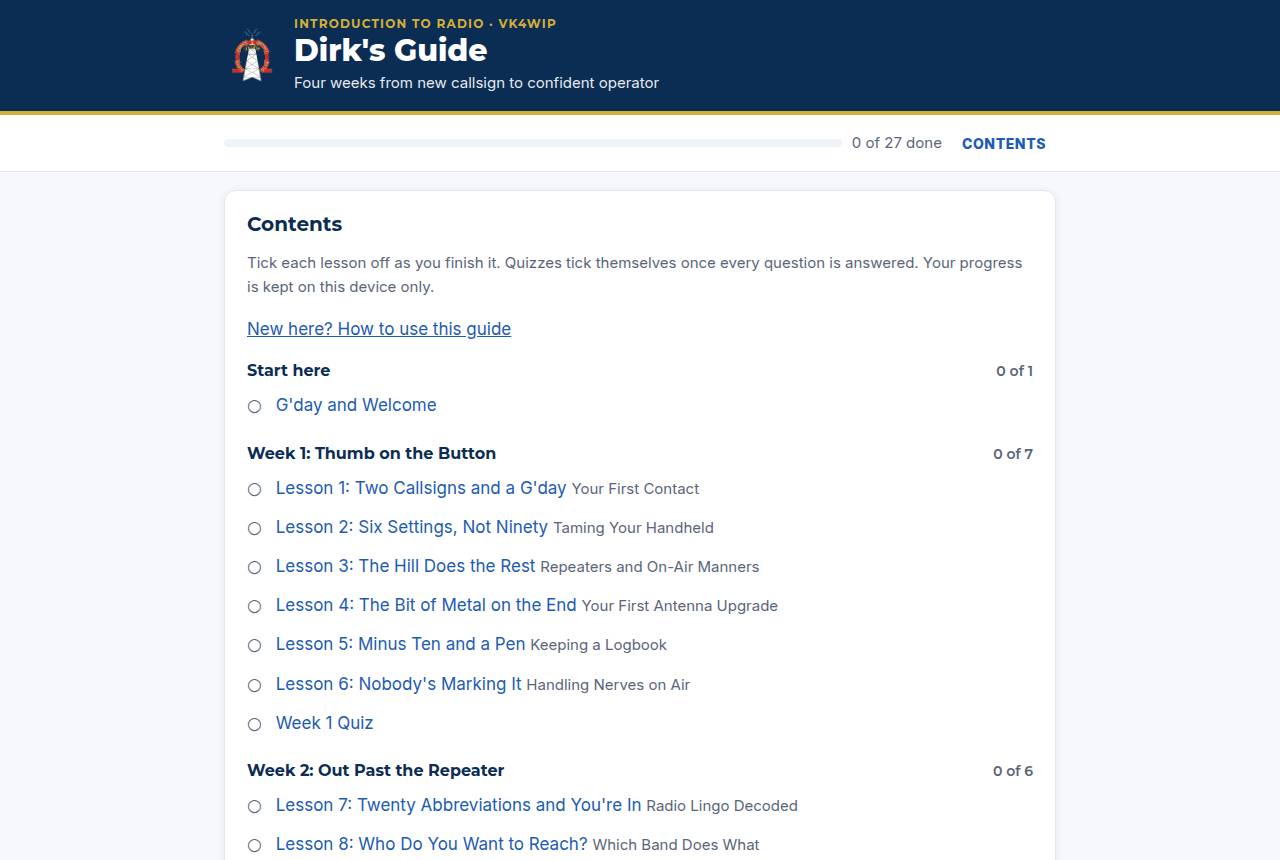
Tick off a lesson
Read a lesson, then tick Done with this one at the bottom. The tick shows in Contents and the bar moves along.
Answer a quiz
Tap an answer. Green with a ✓ is right; red with a ✗ is the one you picked when it's wrong. Dirk's explanation appears underneath, and your score keeps count. A quiz ticks itself off once every question is answered, and you can change an answer any time.
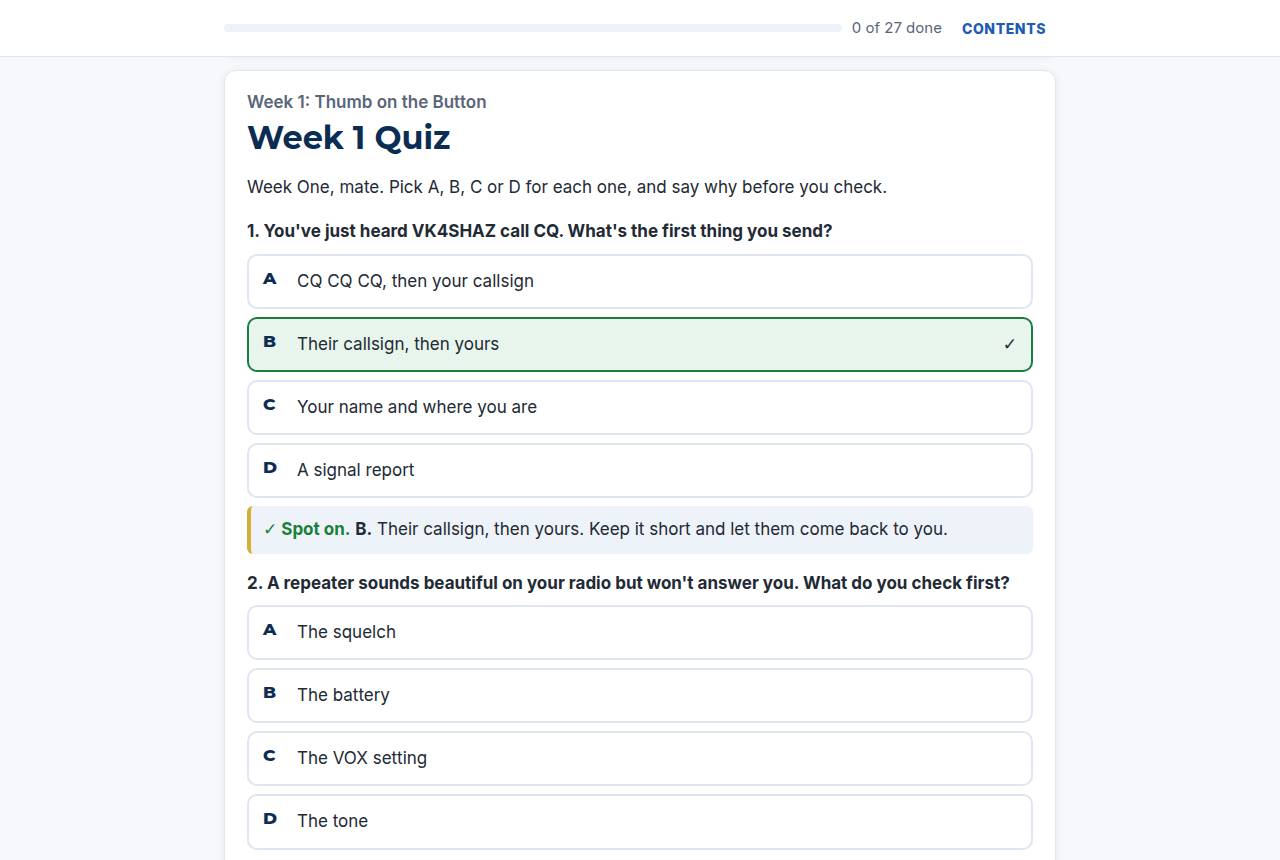
Open a printable sheet
Links inside a lesson take you straight to the matching sheet, such as Radio Lingo. Use your browser's Print button to print the whole guide, or download the PDF from Contents.
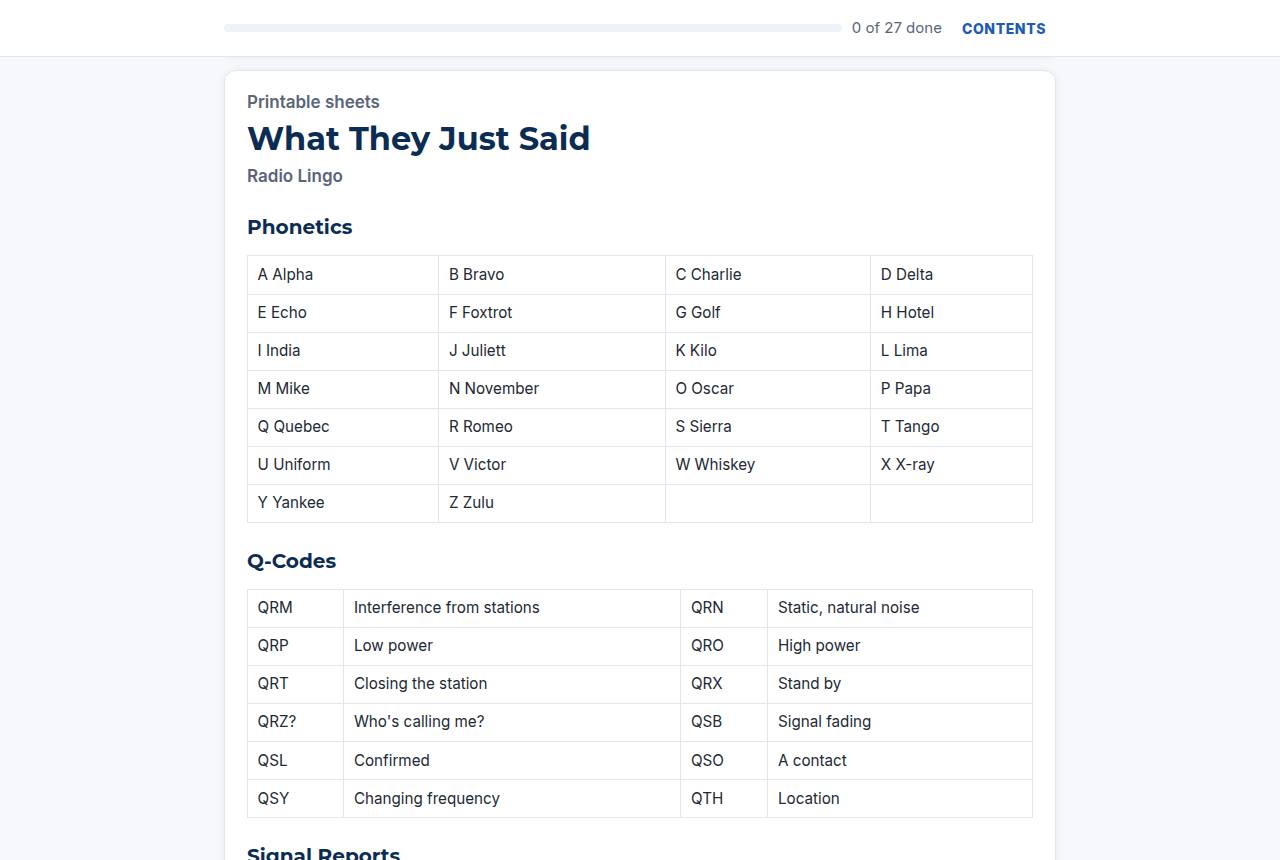
Pick up where you left off
Come back on the same device and the guide remembers the lesson you were reading. Press Pick up where you left off.
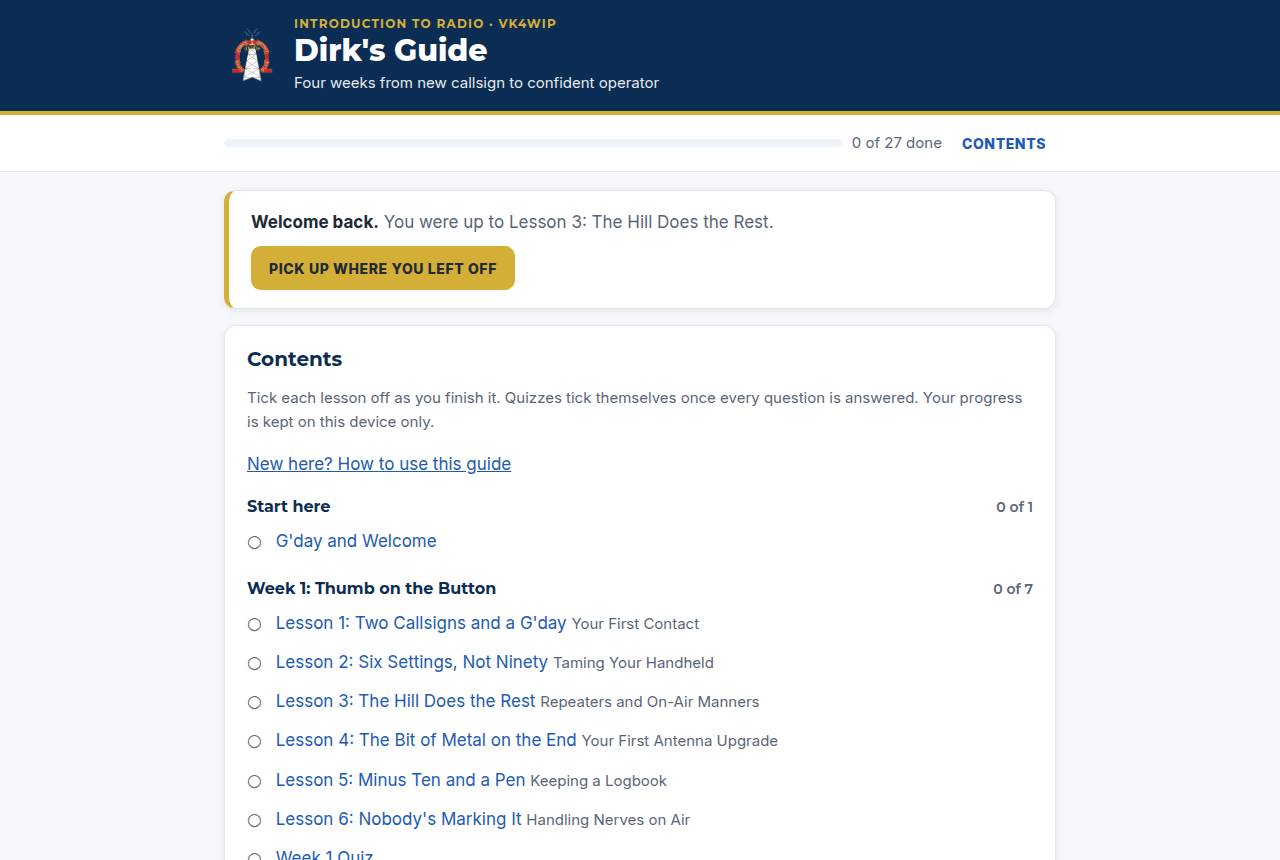
Start again
Reset my progress at the bottom of Contents clears your ticks and quiz answers on this device. It asks first.
On a phone: one slide at a time
On a phone each lesson is split into short slides. The bar at the bottom shows where you are, for example 2 of 5.
On a phone: move between slides
Press Next or Back, or swipe left and right. On the last slide, tick Done with this one, then Next lesson carries on into the following lesson.
On a phone: quizzes
Each quiz question gets its own slide. Answer it, read the explanation, then press Next.